High-Airflow PC Case Options Under 150 Dollars
Open front panels and included fans matter more than mesh alone for budget cooling.
Affordable high-airflow PC cases now offer good cooling, included fans, and an easy build in the same case. The best choice has an open intake path, but it also depends on how the fans are set up, how much room the components need, and how much noise is acceptable. Mesh is the strongest starting point for a hot-running gaming PC, but a mesh front alone does not make a case a good buy.
Why front panel openness separates high-airflow cases from lookalikes
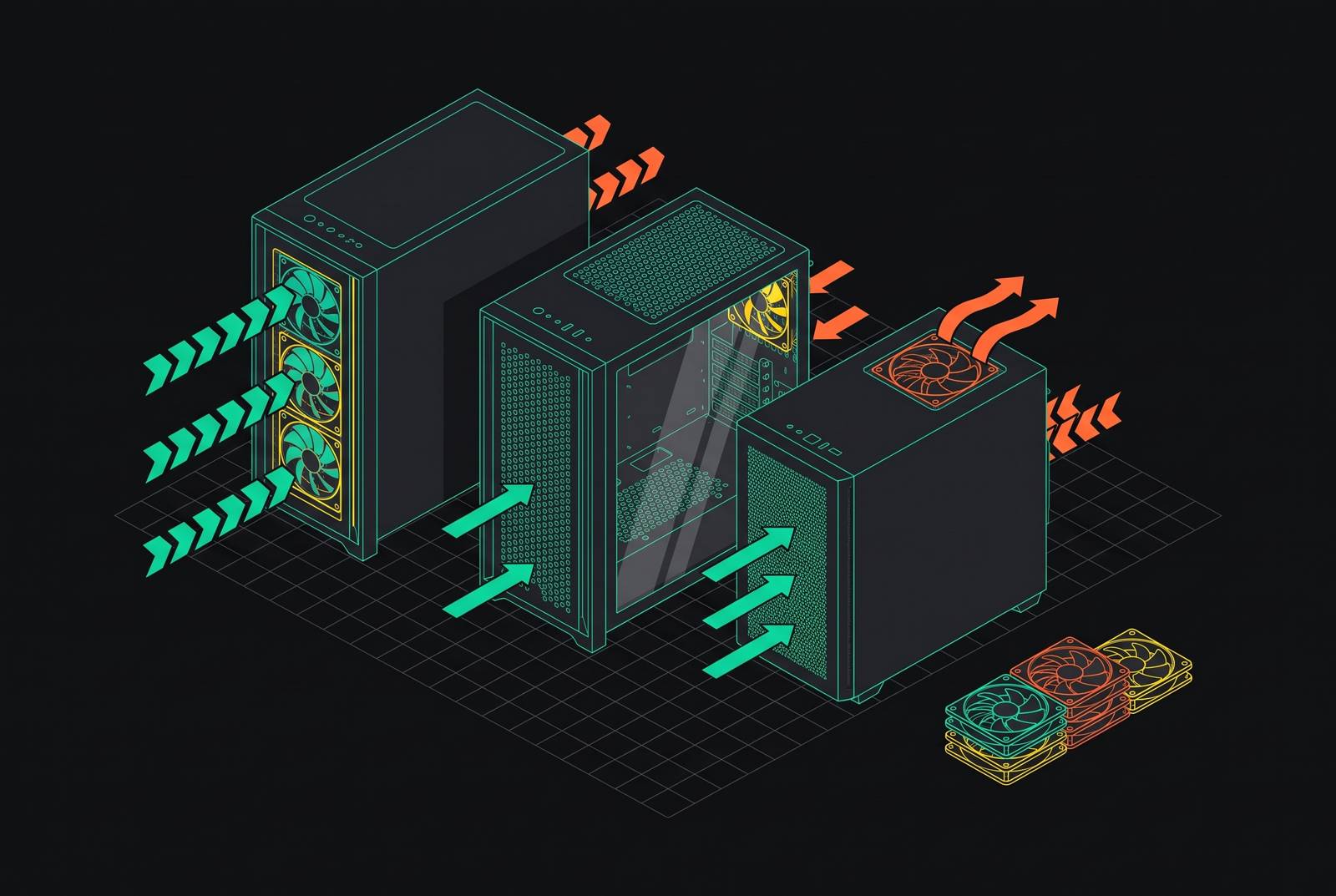
A front fan needs a clear path for air to come in. A restrictive front panel limits that path, so a case can look ready for serious cooling without delivering it. Front panel openness is the dominant variable in case thermal performance. The fans cannot make the panel irrelevant. As CPUs and GPUs demand more cooling, the case becomes the infrastructure that either delivers enough air or gets in its way.
Fan density determines how much an open front can accomplish. That means both the number of fans and their size, rather than simply how many mounting holes appear on the specification sheet. Mid-towers that support three 140mm front fans can move much more air with less noise than cases that hold only two 120mm fans. Included fans also distinguish a ready-to-use cooling setup from a case whose potential depends on further purchases.
Positive pressure means the intake fans move more air into the case than the exhaust fans move out. With filtered intakes, that balance keeps dusty, unfiltered air from coming in through gaps in the case. Cooling is not the only benefit here. Front openness, fan density, and pressure balance together explain why two similarly priced cases can perform differently, and understanding those three variables quickly sorts the promising designs from the lookalikes.
What the benchmark data actually shows across the affordable field
Measured temperatures provide a better test than a mesh label. In the supplied benchmark dataset, the Phanteks XT Pro Ultra ranks second for cooling, with the CPU at 40.3°C above ambient and the GPU at 43.1°C above ambient. Those figures describe temperature increases over the surrounding air. The distinction is essential when reading the results. Within this field, an affordable case can deliver cooling near the top of the measured group.
The Silverstone FARA 515XR establishes the lower-priced end of the comparison. It is the lowest-priced case with full benchmark data in the supplied material, recording CPU and GPU temperatures of 48.4°C and 51.5°C above ambient. Those results are described as thermally safe for mainstream gaming combinations. It also includes four fans and a full mesh front. Its temperatures are higher than the XT Pro Ultra’s, but it offers a complete airflow foundation rather than leaving the buyer to populate an empty case.
The glass-front Montech XR shows the other end of the spread. Its GPU reaches 60.9°C above ambient, the highest GPU result among all 85 cases in the dataset. In this example, the sealed front and lack of a mesh intake path raise the measured temperature.
These measurements establish cooling differences within the tested group. The XT Pro Ultra demonstrates strong cooling within the budget, while the FARA demonstrates that the least expensive fully measured option can still be suitable for mainstream gaming. The useful comparison is between measured performance, the fans supplied, and the demands of the components going inside.
The six affordable cases worth buying, matched to build type
The supplied recommendations list five cases to buy out of the six named. The XR is the other named case, and its heat results make it a warning, so it stays off the buying list even though that leaves the count short. There are also no exact current prices supplied for these candidates. Their place in this budget guide is not a promise about every listing. Within that limit, the choices divide sensibly by airflow priority, component fit, quiet operation, building experience, and entry cost.
The Lian Li Lancool 207 is the best overall airflow choice in the supplied shortlist. It suits a builder who cares more about cooling than a specialist board layout or a certain style of case. That is the clearest starting point for an airflow-first build. However, the supplied measurements do not include a temperature result for the Lancool 207, so its recommendation should not be confused with a demonstrated numerical lead over the XT Pro Ultra. It is the overall airflow pick here, while the Phanteks has the stronger quantitative support in the available notes.
The XT Pro Ultra is the more specific choice for oversized GPUs and BTF boards. Fit comes before fine distinctions in cooling. Its strong benchmark result makes it especially useful in this comparison because the recommendation is not based on component accommodation alone. Exact GPU clearance dimensions are not supplied, though, so the designation is a build-type match rather than confirmation that every oversized card will fit.
The Fractal Design Pop Air is the choice for a quiet build that still needs real airflow. How quiet it is still depends on the fan setup. The Pop Air is the shortlist’s fit for buyers who want airflow without making noise a secondary concern, with no noise measurement supplied to establish that it beats every other candidate by a measured margin.
The Lian Li Lancool III is the mid-range pick for the building experience. That distinction is useful because a case is both a cooling enclosure and the space in which the system has to be assembled. The supplied material does not detail the particular features behind this recommendation, so there is no basis for adding claims about its latches, cable channels, or included accessories.
The FARA is the value-led choice with a measured foundation. SilverStone specifies a fully perforated mesh front and four included fans, which gives the recommendation a concrete hardware basis. With temperatures higher than the XT Pro Ultra’s, it offers mainstream gaming suitability at the lowest price point with full data in the supplied comparison. For a buyer focused on entry cost, that is a more useful strength than an unsupported claim of premium performance.
Where the mesh-always-wins argument breaks down
Glass itself is not the reason a case runs hot. Cooling depends on how the enclosure admits air and routes it to the components. A sealed fishtank design without a mesh intake path is a different proposition from a well-engineered glass case with a deliberate airflow route. Those designs should not be lumped together. The best glass cases can approach the cooling of the best mesh cases because the difference depends on engineering as well as panel material.
A dual-chamber design illustrates that distinction when it gives the GPU a dedicated intake path. In that arrangement, the front panel is less central to GPU cooling because the card has another route for incoming air. The glass front becomes less restrictive in practice. This limits what the XR’s poor result proves. One hot-running glass-front case is evidence against that particular airflow arrangement.
An AIO-primary build presents another defensible exception. A 360mm AIO exhausting heat through the top reduces reliance on the front intake and can partially offset a restrictive panel. It does not make intake unnecessary. Instead, radiator placement changes how much of the cooling job depends on the front of the enclosure. For that build type, radiator support and the intended airflow route deserve more weight than a simple mesh-versus-glass label.
Noise is the biggest practical drawback of an open mesh front. Mesh does not attenuate fan noise, so at full speed a mesh case may be louder than a glass-front case using the same fans. An open intake can let the fans run more slowly for equivalent temperatures, and a well-tuned mesh case can consequently be quieter than a restrictive case working harder. The decision therefore depends on the cooling target as well as the panel.
For high-TDP builds, mesh is still the better starting choice. For a build with a dedicated GPU intake or top-exhaust AIO, a glass or hybrid enclosure can be a reasonable compromise. Appearance need not automatically mean poor cooling. Before buying, know the GPU’s power rating and the acceptable noise level.
Fan configuration basics that determine whether a good case performs like one
Even a good case needs fans that move enough air in the right direction. The right case can still fall short of a benchmark result, especially when its fans are set up differently from those in the test. Fan count alone is not enough. For most mid-tower ATX builds, the recommended starting point is two or three front intake fans and one rear exhaust fan, with one or two top exhaust fans as an option. That is the general arrangement assumed by the benchmark guidance above.
The aim with that setup is positive pressure. The intake airflow should exceed the exhaust airflow by a meaningful margin, rather than merely producing a larger count of intake fans on paper. Fan size and airflow affect that balance. Treat the fans as a system whose benefits depend on how they work together. Optional top exhaust fans also affect that balance, so whether they help depends on how the other fans are set up.
For an existing PC with no front intake fans, adding them is the highest-impact upgrade identified in the supplied guidance. It can reduce both CPU and GPU temperatures by several degrees without changing another component. That is a useful distinction for budget buyers. A case with an open front but no active intake may need fans more urgently than it needs replacing. A case that comes with a full set of fans gives a new build a working fan setup without the need to buy more.
There is an exception to the positive-pressure recommendation. A strongly positive setup in a case with a solid top panel can trap heat that the remaining exhaust cannot clear. More intake is not always the answer. If the CPU or GPU regularly reaches its thermal limit in that configuration, shifting toward neutral pressure is usually the better call.
Filtered intake also makes this a maintenance decision. The recommended cases include filtered front intakes, while unfiltered negative-pressure setups accumulate internal dust faster and lose thermal performance over time. Those filters still need regular attention. Keeping them clean sustains the advantage of the open intake and sensible fan arrangement over months of use. A good case provides the airflow path, but the fan balance and filter maintenance determine how well that path keeps working.