Mini ITX Motherboard Options for AM5 and LGA1851 Platforms
Matching a Mini-ITX board to your CPU and case matters far more than on full-size builds.
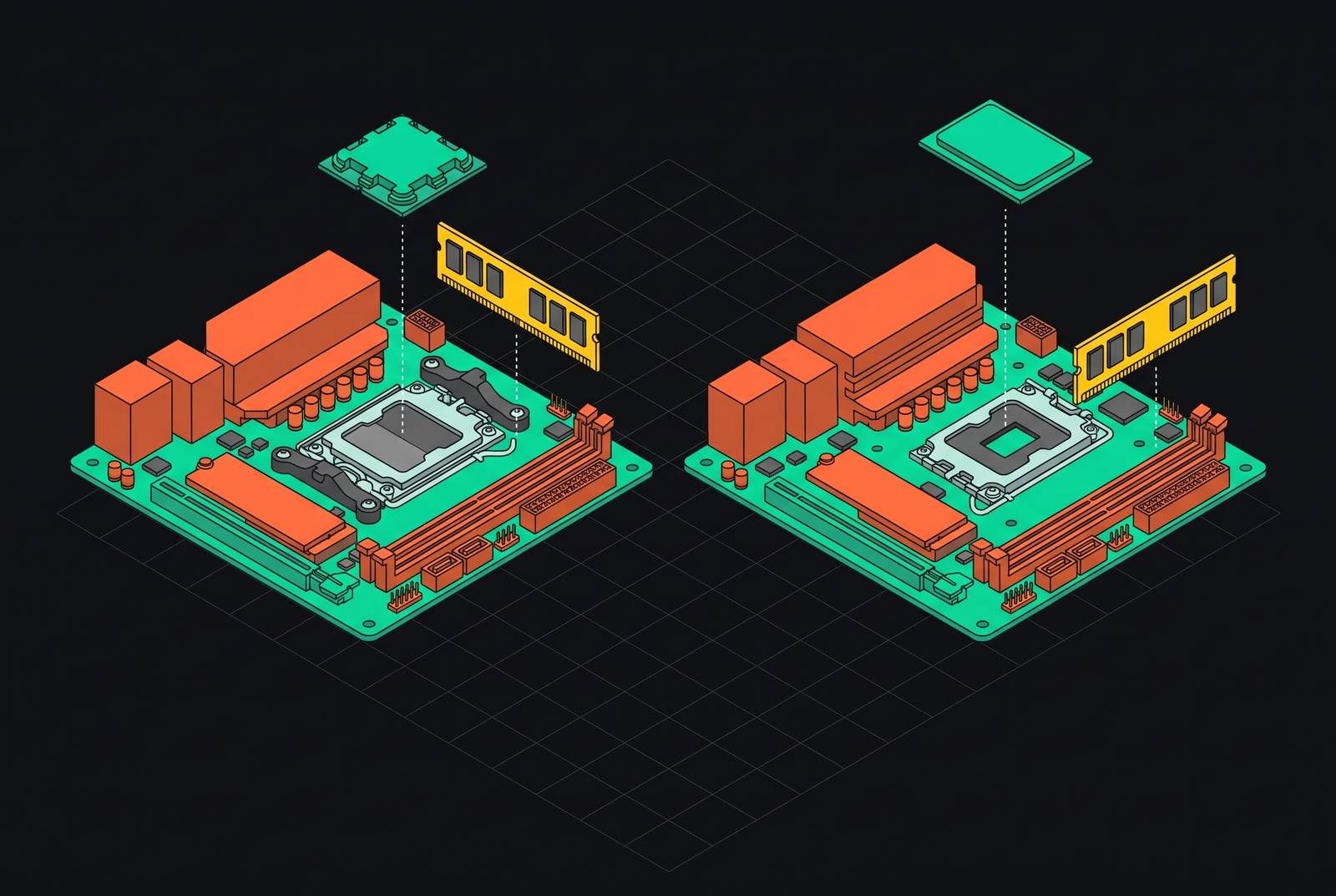
Choosing a Mini-ITX motherboard for AM5 or LGA1851 starts with the CPU and case. Whether a board fits the build depends on its power delivery, its cooling and which connections it can use. B850 is a good place to start for most AM5 gaming systems, while Intel buyers need to compare B860 with Z890’s overclocking support and bear in mind that LGA1851’s firmware is less mature.
Why Mini-ITX motherboard selection is more consequential than on a full-size build
A Mini-ITX board has exactly 170 × 170 mm of space to work with. That leaves room for two DIMM slots rather than four, one PCIe x16 slot and less cooling hardware. These limits do not operate separately. The board, cooler and cables all have to share a small space, so a choice that looks sound on a specification sheet can become awkward inside the case.
The payoff is full single-GPU gaming performance in a fraction of a mid-tower’s footprint. Small does not have to mean slow. But that result depends on matching the parts, including the power supply, rather than treating the motherboard as an isolated purchase. Because the board does so much work in so little space, the platform and chipset tier need to be chosen with care before the brand.
How AM5 and LGA1851 differ as ITX platforms before any board is chosen
AM5 and LGA1851 are the current desktop platforms worth building ITX around. AM4 and LGA1700 boards remain available, but sit at the end of their upgrade paths. The first choice is therefore the platform. AM5 has the more established firmware and builder knowledge base, while the newer LGA1851 supports Arrow Lake processors with AI-focused features, including an integrated NPU.
LGA1851 adds 151 pins over LGA1700, but keeps its physical dimensions and mounting hole spacing. Existing LGA1700 CPU coolers can therefore carry over, saving money for builders reusing cooling hardware. Software support is a separate constraint. Arrow Lake needs Windows 11 for full driver support, and Windows 10 drivers do not install correctly on the ASUS ROG Strix B860-I Gaming WiFi. LGA1851 also has fewer firmware update cycles behind it, so periodic BIOS work belongs in the ownership expectations.
The VRM and thermal ceiling that every ITX board has to clear
The VRM supplies power to the CPU, and phase count and power stage amperage are the first numbers to assess. How much of that capacity the board can use under load depends on its cooling. Smaller heatsinks lose heat more slowly, so a power design that works well enough on an ATX board may throttle sooner inside a small case. A large phase count does not erase that constraint.
The practical guidance is an 8+2 phase minimum for Ryzen 7, with Ryzen 9 benefiting from 10+2 or higher. Stages rated at 60A are adequate for Ryzen 5, while the Ryzen 7 7800X3D and above benefit from 70A–80A stages. Premium 110A stages provide room for sustained productivity loads. Stage amperage and phase count should be matched to the CPU tier before other features are compared.
Heat can still undo a promising specification. The Gigabyte X870I AORUS PRO ICE got as hot as 85°C in stress testing before a 92mm fan was added above the socket. At the other end of the market, the Gigabyte A620I AX has a 5+2+1 VRM that puts a 9800X3D outside its sustainable operating envelope under load. A processor can fit the socket and still run into either of these limits.
Storage needs its own thermal plan too. An M.2 slot close to the chipset heatsink can run hot with Gen4 or Gen5 drives and throttle during sustained transfers, making a high-quality SSD heatsink necessary there. MSI’s Frozr Guard package addresses both problems with 7W/mK MOSFET pads, extra choke pads, an extended heatsink and M.2 Shield Frozr.
AM5 flagship tier: ASUS ROG Strix X870-I Gaming WiFi and Gigabyte X870I AORUS PRO ICE
X870 mandates USB4, which gives this tier a clear purpose for docks, external SSDs and other high-bandwidth peripherals. The ASUS ROG Strix X870-I Gaming WiFi pairs dual USB4 with a 10+2+1 power design, WiFi 7 and 2.5GbE. Its two M.2 slots support PCIe 5.0 and 4.0, while memory support reaches DDR5 8600 MHz OC. It has a 3-year warranty. The premium makes sense for a high-end X3D or Ryzen 9 productivity build that also needs USB4.
The Gigabyte X870-I trades some of that power-delivery headroom and one USB4 port for a white design and a 5-year warranty. Its 8+2+1 power design sits beside WiFi 7, 2.5GbE, PCIe 5.0 and 4.0 M.2 slots, and DDR5 support up to 8400 MHz OC. It looks well suited to a monochrome build. However, the stress-test temperature described above makes case airflow a condition of that choice. ASUS is the stronger fit for dual-USB4 workloads, while Gigabyte offers the clearer aesthetic and warranty advantages.
AM5 mid-range tier: B850 boards and the sweet-spot argument
B850 is the right choice for most 2026 AM5 ITX gaming builds. It provides PCIe 5.0 for graphics and storage, CPU overclocking and WiFi 7 on leading boards without charging for USB4 that most gaming workloads do not need. The savings do not require weak power delivery. The main choices differ in how the storage is laid out, how they are cooled and how much they cost.
The ASUS ROG Strix B850-I Gaming WiFi costs around $349.99 and uses 10+2+1 power stages rated at 70A. Its dual PCIe 5.0 M.2 slots stand out because both a boot drive and game-library drive can use the same generation. It also has WiFi 7, 2.5GbE, rear 20Gbps USB-C and AMD EXPO memory support. First boot deserves some care, though. A CPU recognition problem or poorly seated memory can leave it stalled on a debug LED, so the practical step is to check BIOS compatibility and seat the DIMMs firmly before closing the case.
The MSI MPG B850I Edge TI takes a different approach, pairing a 90A SPS VRM with the Frozr Guard cooling package described earlier. Thermal management is its strongest selling point. WiFi 7 and PCIe 5.0 storage give it the basics a modern build needs, and its 5Gb LAN is better than ASUS’s 2.5GbE for a NAS or high-bandwidth home network. That makes MSI particularly relevant when sustained loads and wired networking shape the build.
The ASRock B850I Lightning WiFi puts value first at roughly $170–$210. Its 10+1+1 design has 110A SPS power stages, which give it plenty of power-delivery headroom for the price. The cuts are elsewhere. It has one PCIe 5.0 M.2 slot and one PCIe 4.0 slot, 2.5Gb Ethernet and WiFi 6E, with no WiFi 7 support. For a 9800X3D build without USB4 or WiFi 7 requirements, that is a strong allocation of the budget.
AM5 entry tier: what the Gigabyte A620I AX can and cannot do
The A620I AX is the cheapest current route into AM5 Mini-ITX with chipset support for the Ryzen 9000 lineup. Its Q-Flash Plus feature can update the BIOS without a CPU installed, which helps when a new processor needs newer firmware. Socket support is not the whole story. The 5+2+1 VRM and lack of CPU overclocking limit what can be built around it.
A Ryzen 5 or Ryzen 8000G APU is the appropriate match, while a 9700X or 9800X3D under sustained load exceeds the board’s power-delivery limits. Its strongest use is a compact media PC or HTPC built around an 8000G APU, where no discrete GPU is needed and the processor does not push the power delivery. Budget Ryzen 7 builds need particular care because the Ryzen 7 label alone does not establish a suitable power requirement.
LGA1851 flagship tier: Z890 ITX boards for Arrow Lake enthusiast builds
Z890 is Intel’s flagship LGA1851 chipset, offering unlocked CPU overclocking and the fullest feature set for Arrow Lake. The ASRock Z890I Nova WiFi and Gigabyte Z890I AORUS ULTRA are Mini-ITX options in this tier. They are built for high-end Core Ultra 200S builds. The available details do not establish a board-by-board advantage in power delivery, storage or connectivity, so there is no basis here for declaring either the stronger model.
The reason to choose this tier is clearer than that comparison. Z890 suits a builder who wants Arrow Lake’s NPU-equipped platform in a compact system with CPU overclocking available, a capability that distinguishes it from B860. As with flagship AM5 boards, the higher tier earns its place when its added capability serves the intended workload.
LGA1851 mid-range tier: the B860 chipset and the Thunderbolt 4 distinction
B860 brings PCIe 5.0, DDR5 and Arrow Lake support to a more accessible Intel ITX tier, but locks CPU overclocking. The B860-I Gaming WiFi supports Arrow Lake processors and has Thunderbolt 4 Type-C plus an extra 20Gbps USB-C port. That extra port is the useful separator. All B860 boards have Thunderbolt 4, which is separate from ASUS’s extra USB connection.
The ASRock B860I WiFi is the lower-cost route, without the extra 20Gbps USB-C offered by ASUS. If an external SSD, audio interface or other peripheral needs that additional connection, ASUS has a clear advantage. If it does not, the extra port offers little reason to spend more. ASUS also lacks USB BIOS Flashback, a setup caveat that deserves a compatibility check.
Should you pay more for X870 rather than B850?
Yes, if USB4 is part of the workflow. No, if it is not. A Thunderbolt-class dock or external NVMe enclosure gives X870 a concrete job, and the ASUS X870-I’s dual ports can justify the step up. Wanting the highest chipset badge does not.
B850 already has the gaming features and boards with strong power delivery that most buyers need. In a build such as a 9700X in a Fractal Terra, BIOS stability and memory training deserve more attention than peak DDR5 frequency. The practical choice follows the workload and case. It should not begin with the most expensive chipset and search for a reason afterward.
BIOS maturity and early-platform risk on LGA1851
The absence of USB BIOS Flashback on the ASUS B860-I creates a specific risk with future LGA1851 CPUs. If the installed BIOS does not support the processor, updating it requires a currently supported CPU, which can block the initial setup. Intel is expected to release more processors for the socket, so CPU support needs to be checked against the BIOS revision on the board.
The broader platform is also earlier in its firmware life, with fewer update cycles and a smaller pool of community compatibility data. Some boards from early batches have been reported dead-on-arrival. That risk warrants care when buying Intel ITX. The practical step is to buy a B860 board from a vendor with a documented update cadence and establish BIOS compatibility before first boot.
Case selection and spatial planning as the final filter on board choice
The board choice can only be settled once the case is chosen. SFX or SFX-L power supply fit, GPU length, cooler height, radiator support and cable routing all interact with board I/O placement. A cooler that fits the socket may still fail to fit the case. The FormD T1 v2.1 supports air, AIO and custom liquid cooling in 10L, while the Cooler Master NR200 is the established choice for builders putting thermals and broad cooler and GPU compatibility first.
SFFLABS offers a compatibility checker and size comparison tool with GPU length, radiator fan configuration and PSU format filters. My Mini ITX compares outer case dimensions in 3D, gathers clearance data and provides an AI Build Advisor focused on spatial fit. Neox Computers has an interactive tool for comparing cases side by side in 3D. A board belongs in the build only when its power delivery suits the CPU and the surrounding hardware leaves it room to work.